Tech
[Smartphone and PC] How to Block Access to Annoying Websites with AdGuard
This article explains how to block access to specific websites using AdGuard. It can prevent you from accidentally opening sites you do not want to visit, so your casual web browsing life may become a bit more comfortable.
Note
This article was initially translated with GPT-5.5 and then reviewed and edited by the author.
There are probably times when you want to block access to a website with AdGuard. If there is a site that would make you feel bad if you accidentally opened it, just block it in advance.
Conclusion
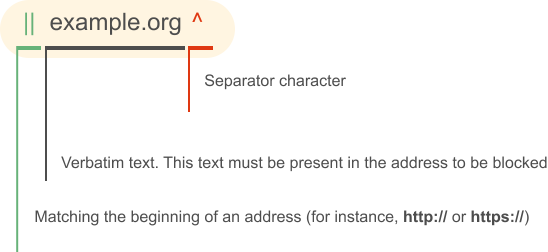
To block a site, you can enter something like this:
||site-i-want-to-block.com^$document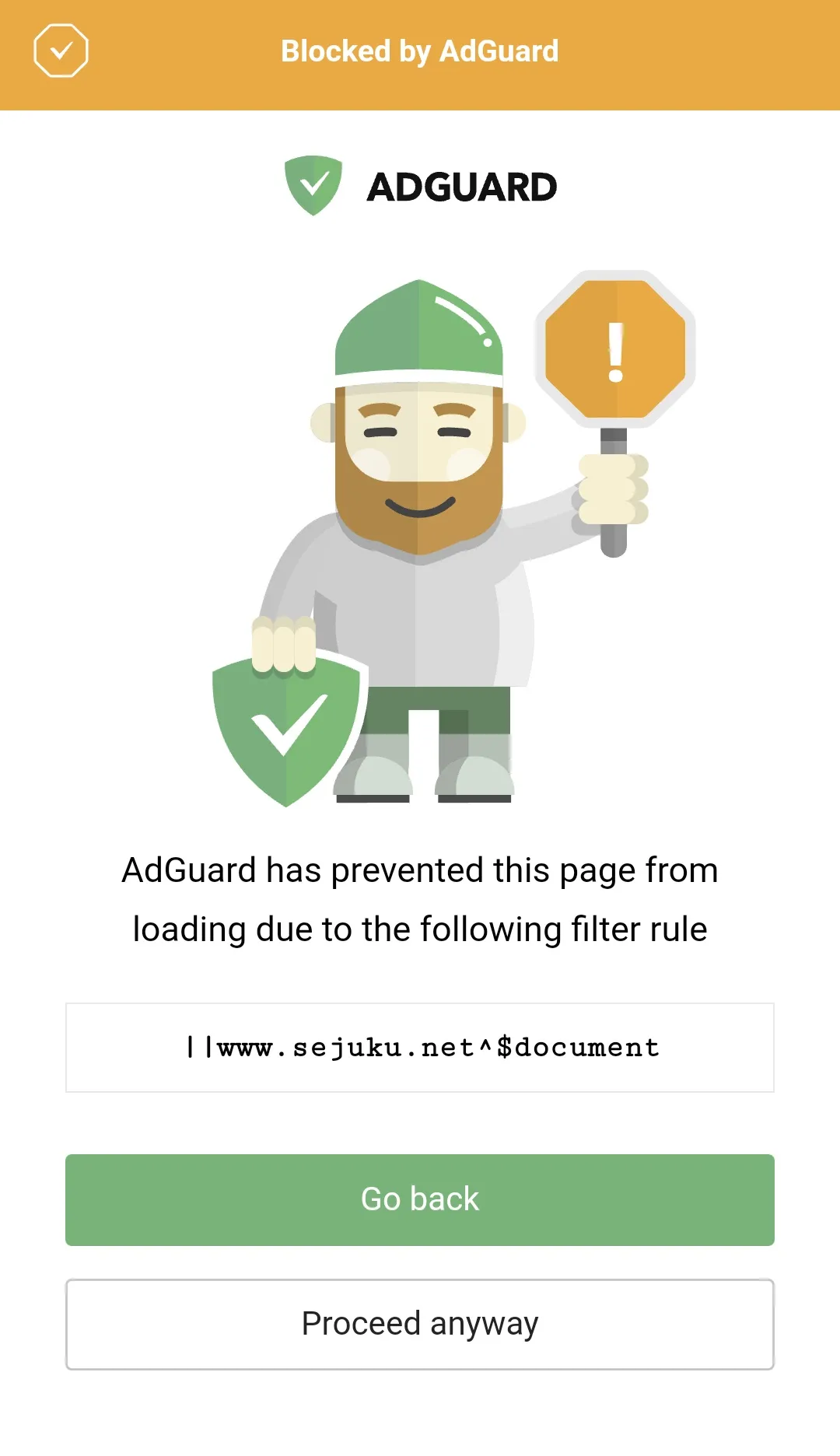
If the block succeeds, you will see a screen like this. Good work.
Explanation
||means that the URL starts withhttp://orhttps://.^means that the part to the right of that character is no longer part of the URL. This is called a separator character. Incidentally, there are quite a few characters that are not allowed in URLs, such as^and_.$applies the filter to the element written on its right. For example, if you write$img, it targets allimgelements. In other words, it blocks all of them.

So,
||site-i-want-to-block.com^$documentmeans something like “block all document elements on site-i-want-to-block.com when the URL starts with http:// or https://.”
A “document element,” to put it extremely roughly, means “the entire page of that site.”
To explain it a little more precisely, if you have ever written JavaScript, you may have written or seen code like this:
document.getElementById("hoge")This is that document. It is not an element like html, p, or div, but rather a top-level object.

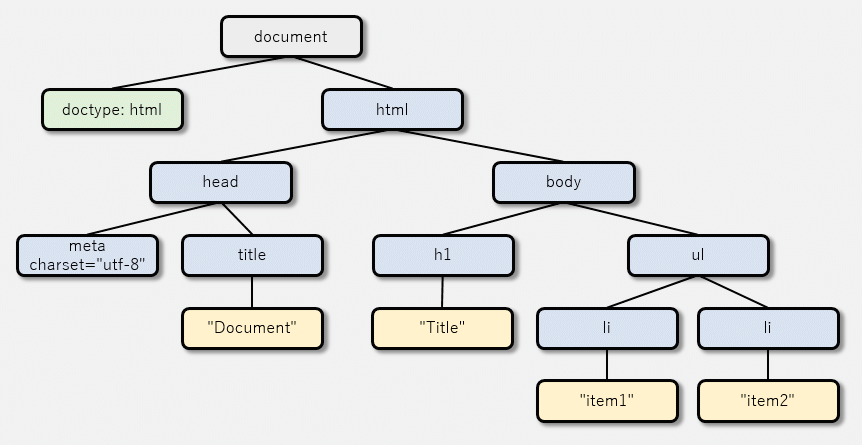
By blocking this whole thing, you can prohibit access to the page. Interesting.
I wonder what would happen if $document were changed to $html. I have not tried it, but maybe the page would just turn completely white.
Bonus
The rule shown in the screenshot above is:
||www.sejuku.net^$documentHowever, while writing this article, I realized that this rule does not block terakoya.sejuku.net, which had apparently appeared at some point.
||*.sejuku.net^$documentI thought this might be fine, but after thinking about it more carefully, this would only block subdomains. So in the end, I settled on this:
||sejuku.net^$documentWith this, all subdomains are blocked as well. Happily ever after.
Bonus 2
Even for a blocked site, you can still view the page if you press “Proceed Anyway” at the bottom and ignore the block.
So this is completely useless for something like “I want to prevent my child from looking at naughty sites.” Use DNS blocking or something. That said, I am against filtering, so I will not say anything further.