Tech
[Astro] Tag Assistant Misses GA4 via Partytown
I tried adding Google Analytics, GA4, and Partytown to Astro. Debugging did not go well, but it seemed to be working after all. Here is what happened.
Note
This article was initially translated with GPT-5.5 and then reviewed and edited by the author.
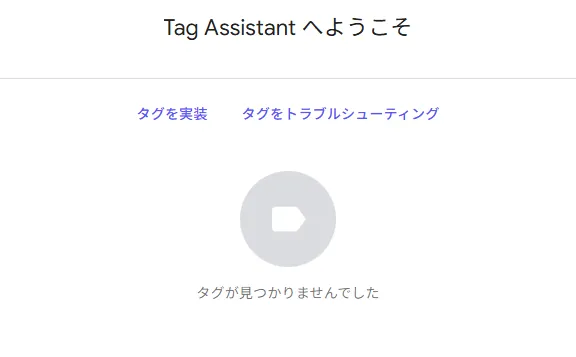
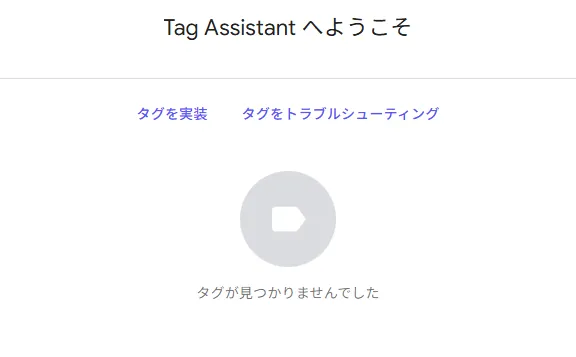
No tags found.
A complete lie. The real-time view count is increasing properly.
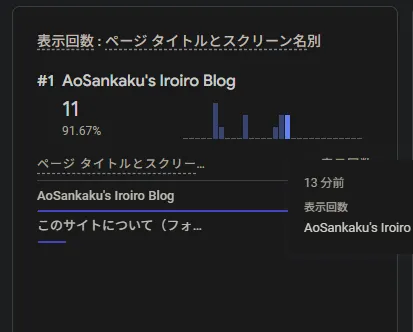
Are you kidding me?
Ad blocker behavior
Naturally, if you have an ad blocker installed, it blocks trackers and similar things, so Tag Manager and real-time tracking will not work either. Good children should prepare a clean browser for testing.
Official guide
Astro has an official-looking guide like this.


I tried various things: implementing it exactly as described there, splitting files, not splitting files, disabling it in the debug environment, and so on. None of it worked properly. I tried all kinds of methods.
It was Tag Assistant’s fault
A fact emerged that almost defeats the purpose of using frameworks like Astro.
While messing around with things, analytics sometimes broke and sometimes did not. When I opened the production environment in Chrome, part of the <head> in the console looked like this:
<script type="text/partytown" src="https://www.googletagmanager.com/debug/bootstrap?id=G-XXXXXXXXXXXX&src=GTAG&cond=5&gtm=45je5ca1v9180692193za200" data-pterror="TypeError: Failed to fetch at blob:https://aosankaku.net/485f2106-0b53-4935-9776-168bc6413ebd:2:26390 at ut (blob:https://aosankaku.net/485f2106-0b53-4935-9776-168bc6413ebd:2:26846)"></script>Workarounds
1: Give up on Partytown
From what I found while looking into this, Partytown seems to be fairly unstable. Giving up on it is one option.
The really painful part is that there is no alternative method. Astro is really good, so losing points here hurts badly.
2: Try writing it in exactly the same way
I seriously have no idea why, but it seems to work if you split it into components. The logic makes absolutely no sense, though.
For reference, here is a commit where Analytics somehow works.


Manual checking is the only debugging method
So, since Tag Assistant does not recognize it, there is no debugging method other than brute force, namely checking the real-time view.
To begin with, it is probably unavoidable if around half of the traffic is not captured. We live in the great age of tracker blocking. Still, hardcoding an error directly into data-pterror feels a bit questionable. I would like that to be fixed.